Use this guide to help you choose the best laptop or tablet charging cart for your classroom needs.

Finding the right laptop and/or tablet charging cart for your classroom can make device management easier, safer, and more organized for both teachers and students. Whether you need simple device storage or a fully equipped charging and syncing solution, understanding the key features will help you choose the best option for your classroom setup.
At Today’s Classroom, we offer a wide selection of laptop carts, Chromebook charging carts, and tablet storage carts designed for schools of all sizes. Some models are built specifically for laptops or tablets, while others can accommodate multiple device types including Chromebooks, iPads, and notebooks.
Before purchasing a charging cart for your classroom, consider the following features:
- Material
- Capacity
- Security
- Charging Capabilities
- Electrical Access
- Ventilation
- Mobility & Wheels
Material
Our laptop and tablet charging carts are available in several materials, each offering different benefits depending on your classroom needs and budget.
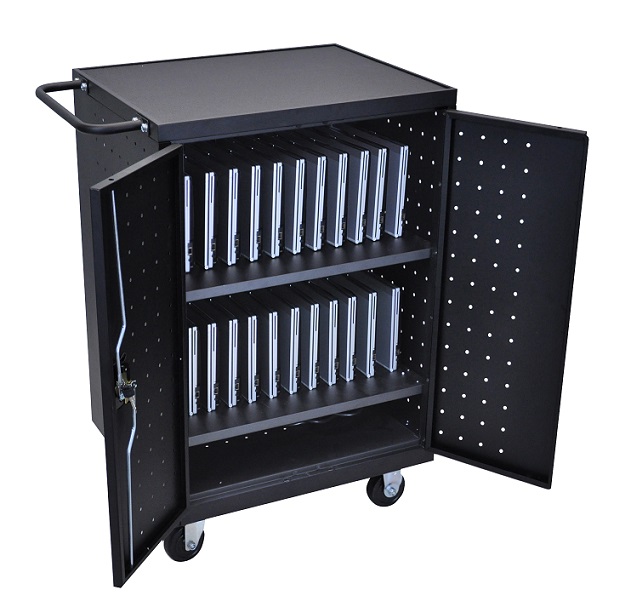
Steel Charging Carts
Steel is the most common and durable material used for classroom charging carts. Steel charging carts are designed to withstand years of daily use in busy school environments. Most steel laptop carts also include locking doors or secure locking systems to help protect valuable devices from theft or tampering.
Steel carts are ideal for:
- High-use classrooms
- Shared device programs
- Schools prioritizing security and durability
Laminate Charging Carts
Laminate laptop storage carts provide a more budget-friendly option while still offering dependable device storage. Some laminate models may not include locking systems, making them a great choice for classrooms where security is less of a concern.
Laminate carts are ideal for:
- Budget-conscious schools
- Lower-risk storage environments
- Classrooms needing lightweight storage solutions
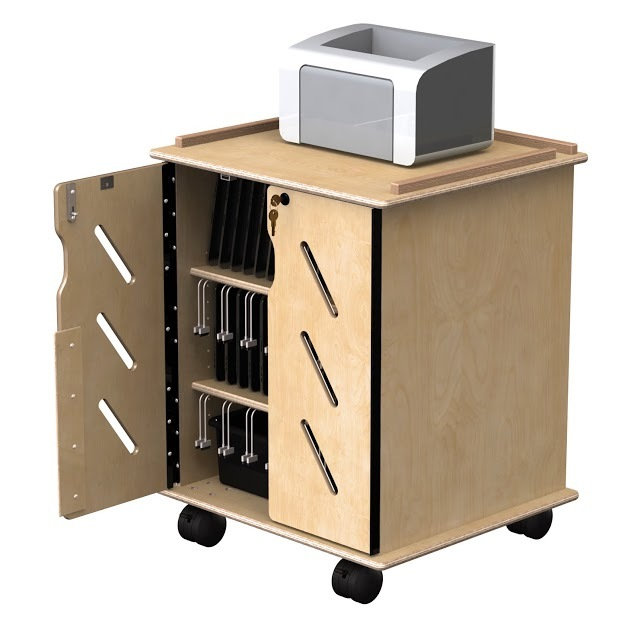
Wood Charging Carts
Wood laptop storage carts offer a more furniture-style appearance that blends seamlessly into traditional classroom designs. They are also often more affordable than heavy-duty steel models while still providing organized storage for student devices.
Wood carts are ideal for:
- Classrooms with wood furniture
- Libraries and media centers
- Teachers looking for a warmer, furniture-inspired look
Device Capacity
Capacity is one of the most important factors when choosing a laptop or tablet charging cart.
While smaller carts are easier to maneuver, it is essential to ensure your cart can safely store and charge all classroom devices. Our classroom charging carts are available in capacities ranging from 15 to 32 devices or more.
Before purchasing, always confirm:
- Device dimensions
- Slot size compatibility
- Charging brick space requirements
- Future device expansion needs
Many newer laptops and protective cases require additional storage space, so checking compartment dimensions is highly recommended. To make sure that our carts will hold the specific model you have, we have listed the dimensions of the compartment openings. If you cannot find this information, just ask!
Security Features
If security is your main concern, you will most likely want to purchase a steel constructed laptop storage cart. These carts are equipped with some type of locking system to better prevent any equipment being stolen.
Many classroom laptop carts include:
- Keyed locks
- Padlock hasps
- RFID security systems
- Reinforced steel doors
These features help protect expensive school technology when devices are stored overnight or between classes.
Check out the LLTM30-B-RFID for RFID security!
RFID-secured charging carts offer an additional level of access control and accountability.
Recharging Capabilities
Not every classroom needs charging functionality, so it’s important to choose a cart that matches your daily workflow. Our laptop and tablet storage carts come with or without an electrical outlet plug for charging your
devices. This is great for 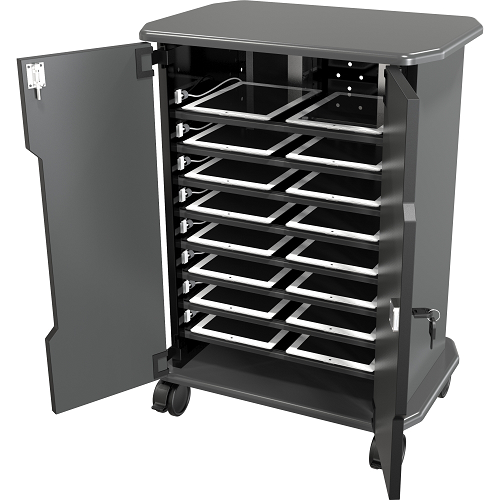 schools that keep their student’s devices overnight. It will ensure that all the devices will be ready for use the next day. You may not need this feature if you only need to store your devices or if your students take their devices home every day.
Charging carts with built-in electrical systems allow devices to charge while stored. These are ideal for:
- 1:1 device programs
- Overnight charging
- Shared classroom devices
- Schools using Chromebooks or tablets throughout the day
Charging carts help ensure devices are fully powered and ready for student use each morning.
Storage-Only Carts
If students take devices home daily or charging is handled elsewhere, a storage-only cart may be the more cost-effective option.
Electrical Access & Safety
The placement of electrical outlets can be an important safety consideration, especially for younger students.
Front Outlet Access
Front-access outlets allow students to plug in devices independently after use. These carts are often preferred for:
- High school classrooms
- College environments
- Student-managed device programs
Rear Outlet Access
Rear-access outlets help limit student interaction with power strips and charging cables. These are typically recommended for:
- Elementary schools
- Younger age groups
- Teacher-managed charging setups
Choosing the right outlet placement can improve both classroom safety and daily efficiency.
Ventilation
Proper ventilation is essential for protecting both devices and charging equipment.
Laptops, tablets, and Chromebooks generate heat while charging. A well-ventilated charging cart helps prevent overheating and extends the lifespan of your technology.
Look for laptop/tablet carts with:
- Ventilated panels
- Airflow openings
- Heat-dissipating designs
Ventilation is especially important for carts charging multiple devices simultaneously overnight. If you are only storing your devices in a cart, this feature may not be as important.
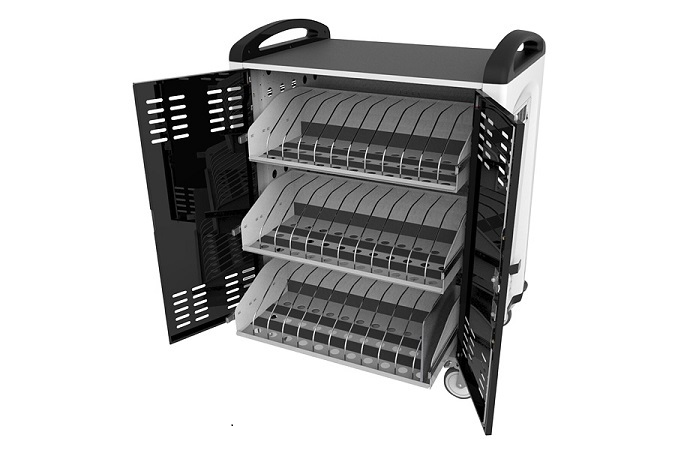
Wheels & Mobility
All of our laptop and tablet storage carts are mobile and are on either casters or non-pneumatic wheels to offer the smoothest ride.
Please specify when ordering where you will be using your cart. If there is a chance you will be taking your laptop or tablet cart outside or over rough surfaces, you will want a cart with non-pneumatic wheels to prevent any damage to your cart or devices.
Check out our full line of Device Charging Carts & Storage
The best classroom charging cart depends on:
- Number of devices
- Student age group
- Security needs
- Charging requirements
- Classroom mobility
- Budget
Whether you need a Chromebook charging cart, tablet storage cart, or a secure laptop charging station, selecting the right features now can help your classroom stay organized and efficient for years to come.
Browse our full selection of laptop and tablet charging carts to find the best fit for your classroom technology needs.
If you need help selecting the right laptop or tablet storage cart, our team is happy to help. Contact us today for expert recommendations.