
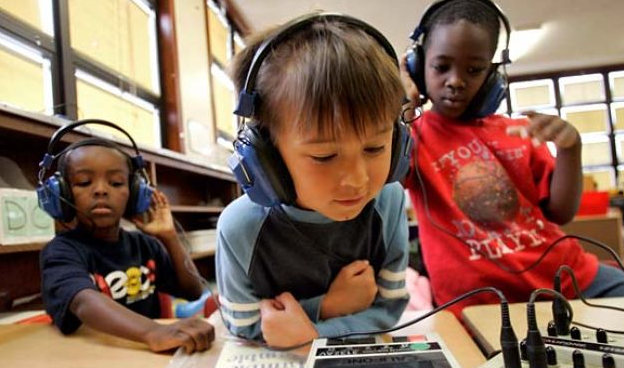
How to choose the best headphones or headsets for your educational needs.
Choosing the right headphones or sets can improve student focus, support technolocy-based learning, and create a better educational bexperience overall. This guide will help you select the best option for your classroom, computer lab, library, testing environment, or learning center.
Before making a decision, here are a few key things you will want to consider:
- Mono Headphones vs. Stereo Headphones
- Comfort & fit
- Wired Headphones
- Wireless Headphones
- Plug Styles & Combatibility
- Computer Compatible
- Cord Styles
- Boom Microphones
Mono Headphones vs. Stereo Headphones
Mono Headphones
Mono headphones trasmit sound through single audio channel. They are best used with:
- Record Players
- Listening Centers
- Cassette Players and Recorders
Using mono headphones with stereo technology devices may reduce sound quality and could potentially damage equipment.
Mono audio may also be reffered to as:
- Monaural
- Monophonic
Stereo Headphones
Stereo Headphones trasmit sound through two separate audio channels, creating a fuller and more natural listening experience. Stereo headphones are ideal for:
- Computers
- Tablets
- CD Players
- TVs
- Mobile Devices
- Any device with sterero output
Using stereo headphones with mono equipment can negatively impact sound quality and could potentially damage equipment.
Stereo audio may also be reffered to as:
- Stereophonic
Switchable Headphones
Switchable Headphones offer maximum flexibility by allowing users to switch between mono and stereo modes. These are a great option when:
- You use multiple types of devices
- You are unsure wjhich audio output your equipment supports
- Shared technolody environments require versatility
Binaural Headphones
Binaural headphones use two microphones to create a more immersive, 3D-style listening experience that mimics natural hearing. Simply put "hearing sound with both ears".
These headphones are commonly used for:
- Language learning
- Multimedia applications
- Enhanced audio immersion
Binural models are available in mono or stereo formats.
Califone Deluxe Stereo Multimedia Headphones
See our Selection of Califone Headphones
Comfort of Your Classroom Headphones
Comfort is very important when purchasing classroom headphones, especially in educational settings where students may wear headphones for extended periods of time. Uncomfortable headphones can be a distraction to anyone, especially children. Consider the following when making a decision to buy headphones.
Adjustability of Headphones
Many classroom headphones are designed to fit students from grades K–12 with adjustable sizing for a secure, comfortable fit. If you are unsure, let us know which age groups you are purchasing for and we will help you make the best choice.
Ear Cushions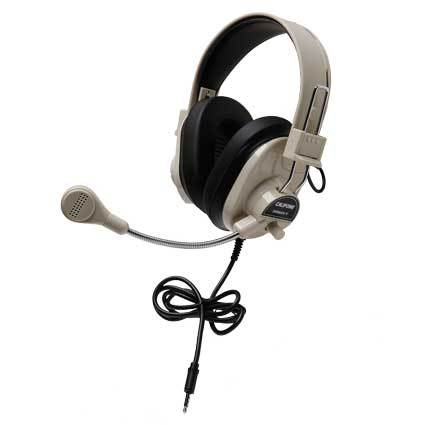
The typical ear cushion is made with soft foam covered in durable vinyl or leatherette material.
Benefits include:
- Easier cleaning and sanitizing
- Improved durability
- Better hygiene in shared environments
Many schools choose individual student headphones to further reduce the spread of germs or lice. For budget-conscious classrooms, we also offer replaceable ear cushions as a cost-effective alternative.
Volume Control of Headphones
Built-in volume control gives students the freedom to adjust sound levels for comfort and accessibility.
Volume controls may be located:
- On the ear cup
- Along the cord
- Individually on each ear
This feature is especially useful in shared listening environments.
Wireless Classroom Headphones
Wireless headphones provide greater mobility and help eliminate cord tangles, especially beneficial for younger students or collaborative learning spaces.
Wireless Frequency
If you are using wireless headphones in a school, library, or other shared environment, it is important to choose a system that operates on a different radio frequency from nearby devices. Using the same frequency can cause audio interference and disrupt listening. When purchasing additional wireless headphones, be sure they are compatible with your transmitter and operate on the same frequency for proper connectivity.
Broadcast Range
How far your students can be away from the transmitter without losing sound.
Most wireless headphones can be 100 feet away from the transmitter before losing sound.
Charging Time
The length of time it will take to fully charge your headphones.
Make sure you leave yourself enough time between classes or lessons to have your wireless headphones fully charged. They are after all, wireless!
Battery Life
The continuous number of hours that your headphones can be used on a fully charged battery.
Many wireless headphones offer battery life of up to 40 hours on a single charge, making them ideal for daily educational use.
Plug Styles & Connectivity for Classroom Headphones
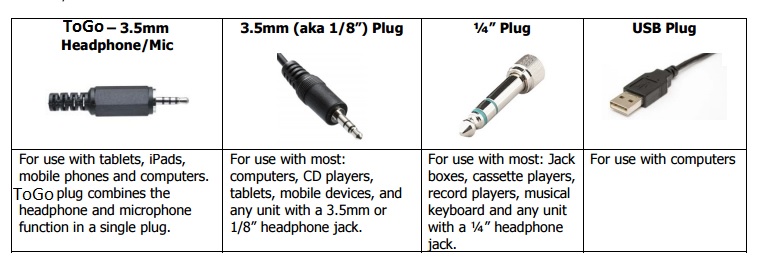
3.5mm and 1/4" Audio Plugs
Most classroom headphones use either a 3.5mm plug or a ¼” audio jack. Before purchasing school headphones, it’s important to confirm which input your devices require. If you’re unsure, many systems can be used with an adapter to convert between 3.5mm and ¼” connections.
USB Plug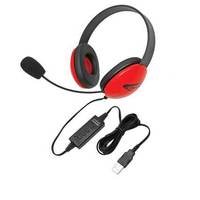
USB headphones connect directly to a computer and often eliminate the need for a separate sound card.
They are commonly used for:
- Computer labs
- Online learning
- Testing environments
- Video conferencing
Check out our full line of Classroom Headphones and Headsets.
Computer Compatibility for Classroom Headphones
Always confirm your headphones or headsets are compatible with your devices before purchasing.
Compatibility may vary between:
- PC
- Mac
- Chromebook
- Tablets
- Mobile devices
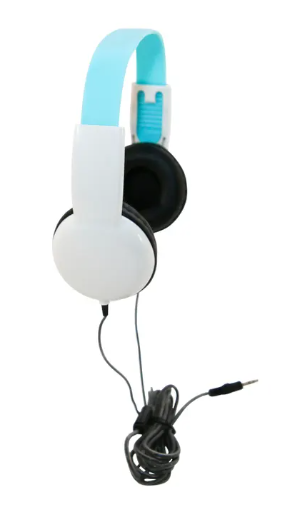
Cord Styles for Classroom Headsets
Boom Microphones on Headphones
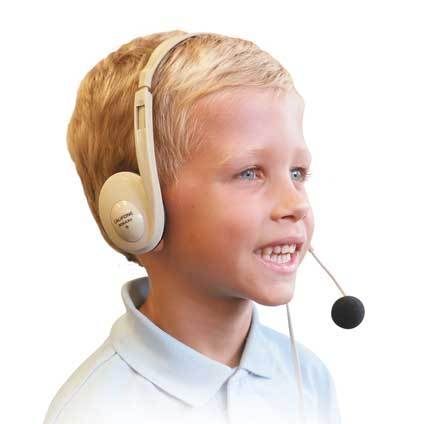
Classroom Headphones are available with a boom microphone attachment. Boom microphones work well in situations where a response is required. The boom microphone allows the student to hear their responses through the headphone.
Boom microphones are ideal for:
- Speech classes
- Language labs
- Reading assessments
- Online learning
- Interactive learning software
- Card reader-based learning activities
They also allow teachers to:
- Record student responses
- Monitor pronunciation
- Provide verbal feedback
Listening First Stereo Headphones by Califone
Listening First Headphones by Califone

Animal Print Listening First Headphones by Califone
Language learning and Common Core assessments are only two reasons why it's critical to match the right headset to the mobile device or computer. Watch this video so you'll know how!
When purchasing testing headphones, consider:
- Device compatibility
- Comfort for extended testing sessions
- Volume control
- Noise reduction
- Microphone requirements
Need Help Choosing?
Selecting the right school headphones or classroom headsets depends on your technology, classroom setup, student age group, and educational goals.
If you need assistance choosing the best solution for your school or learning environment, our team is here to help.